做一个功能完整的网站:「PS5 — 碳足迹智能平台」 1. 用户账户与资料 2. 碳计算器 3. 交互式仪表盘 4. 减排规划器 5. 目标与挑战 6. 可下载报告
个人或校园团队的用户账户与资料。
涵盖用电、出行、饮食与废弃物的碳计算器,并清楚写明计算因子。
按类别展示排放及随时间趋势的交互式仪表盘。
减排规划器,用户可比较场景,例如改换交通或减少用电。
带进度跟踪与团队排行榜的目标与挑战。
汇总排放与建议行动的可下载报告。
我想为内罗毕 Kilimani 的酒店 The Village 做一个带 AI 助手的网站,需要有 WhatsApp、M-Pesa 提示,我希望它是 AI 前台、能 AI 通话。
企业官网重构与最终收尾相关提示。
你是「企业官网重构与收尾」。请按下列中文说明执行;完整原提示词正文保留于后,供结构、占位符与技术细节对齐。

## 中文任务说明
企业官网重构与最终收尾相关提示。

以下保留原提示词正文供结构与占位符对齐:

Act as an elite full-stack developer and UI/UX expert. Update, refactor, and finalize our corporate project management and inventory system with the following 11 comprehensive features and modifications. Ensure absolute state management using React hooks, strict validation, dynamic workflows, and high-fidelity conditional rendering.

1. Multi-Tenant Multi-Project Login Isolation
* Behavior: Implement a multi-tenant authentication rule based on a unique combination of Company Name, Project Name, and Password.
* Logic: If user A logs in with Company A and Project CC, they must see distinct dataset A. If user B logs in with Company B and Project CC, the system must treat this as a completely separate unique project because the Company Names differ. Prevent data cross-contamination between different companies using identical project names.

2. Store Request Received Menu UI & Column Labels
* Page Workflow: On the Store Page -> Request Received Menu -> View section:
* UI Updates: Display the item Description. Rename the column header Parameter to "Unit", and rename the column header Note to "Remark".
* Data Visibility: Ensure the data for "Unit" and "Quantity (QTY)" MUST be fully visible and readable to the user under their respective columns. Do not hide these core transaction details.
* Header Branding: Bind the Company Name entered at login dynamically to the header layout of the SR, PR, and all system documents.

3. Document Fields Validation & Optional Attachments
* Validation: When submitting a Store Requisition (SR), Material Take-Off (MTO), or Store Issue Voucher (SIV), enforce strict validation requiring all structural form input fields to be fully populated.
* Attachment Engine: The PDF document upload action is strictly OPTIONAL (Not Mandatory). Users can successfully submit forms without an attachment.
* File Operations: If they choose to attach a file, provide a Click to View link for uploaded PDFs, a Delete button to remove the selection before submission, and a functional Back navigation button to cancel operations.

4. MTO-to-Store Cross-Page Workflow & Data Automation
* Notification & Initial State: When an MTO is dispatched to a project order, trigger a Red Notification Badge on the targeted project's MTO Menu. Inside this menu, only display two options: Ready and View.
* Instant Out PDF Action: Clicking View opens a modal showing the transaction data rendered purely as an "INST_OUT" PDF format. After review, the user clicks the Ready button.
* Material Mapping: Clicking Ready must automatically inject the requested material data into the REF_OUT table row via a dynamic drop-down selector.
* SR Status Progression: Automatically advance the status on the SR Page to "Ready to Issue".

5. SR "Ready to Issue" Logistics & Dispatch Workflow
* Logistics Modal: On the SR Page, when an order hits the "Ready to Issue" status state, clicking the corresponding View button must launch a dedicated Logistics Dispatch Form.
* User Inputs: The operator on this page must fill out the dynamic logistical transit metadata fields: "Receiver / Driver Name", "Dispatch Date", "Departure Time", and the transport vehicle's "Plate No".
* Data Routing: Clicking the Send action button on this dispatch module must package this logistical dataset and securely route it directly over to the warehouse terminal on the Store Page.
一个以证据为驱动的任务提示,用于审计、评分并修复网站及其 MCP 服务器在应对 Googlebot、AI 爬虫和激进 LLM 代理时的稳健程度。
角色
你是一名资深工程师,负责对一个网站及其 MCP(Model Context Protocol)服务器进行成熟度审计(SEO/抓取健康、安全、韧性、智能体就绪度)。像独立审计员一样工作:证据优先,不做假设,能修的就修,然后重新测试。

授权
只审计 owner_or_authorized_party 拥有或已明确授权你测试的系统。负载、模糊测试和攻击式测试只针对 STAGING 运行。针对生产环境,只做只读、限速的抓取,且必须获得我的明确批准。不进行真实支付,不进行真实预订或下单,不涉及真实个人数据。

上下文
- 站点:site_url   预发布环境:staging_url   MCP 端点:mcp_url   仓库:repo_path
- 业务类型与目录规模:例如 travel/e-commerce/marketplace,约 N 个页面,约 N 个产品
- 语言/货币:locales_and_currencies
- 目标 LLM 客户端:例如 Claude、ChatGPT、Gemini
- 测试账号/令牌:test_credentials
- 约束与合规制度:例如 GDPR、CCPA、PCI DSS、当地法律
假设消费者会具有攻击性:Googlebot、AI 爬虫、用户触发的 AI 抓取器、爬虫程序,以及会重试、循环、并行运行并发送畸形参数的 LLM 智能体。

规则
1. 先阅读:仓库、OpenAPI/工具定义、robots.txt、站点地图、模板、响应头。在测试前建立清单。
2. 每个结论都需要证据(命令、输出、日志、file:line、URL)。没有证据 = 未通过。
3. 将任何无法测试的内容标记为“NOT RUN + 原因”。绝不隐瞒失败。
4. 在陈述版本、规范和搜索引擎指南之前,先对照官方文档核实。
5. 在执行破坏性或高流量测试前先询问。修复严重/高优先级问题,重新测试,并记录修复前后情况。
6. 先制定包含 10 个项目的测试计划和任务清单,然后执行。

测试类别

A. 抓取与索引健康
- 获取 robots.txt 和所有站点地图;按类型统计 URL 数量;与预期页面数量核对。报告站点地图中返回 404/重定向/noindex/规范化到其他位置的 URL、站点地图中缺失的可索引页面,以及孤立页面。
- 以 Googlebot(智能手机 UA)和通用机器人身份、以礼貌速率抓取:状态码、重定向链、软 404、重复标题/描述、canonical、hreflang 互惠性(+ x-default)、分页、分面/搜索/参数 URL(抓取陷阱、无限日历)、URL/slug 一致性以及变体的 301 行为。
- 渲染:比较原始 HTML 与渲染后的 DOM;确认关键内容、链接、结构化数据和价格不是仅靠 JS 呈现。
- 机器人确定性:反复获取关键页面;检查随机化/个性化是否会给机器人带来不稳定或实质不同的内容(伪装风险)。
- 结构化数据:验证 JSON-LD(Organization、Product/Offer、Hotel/Place、BreadcrumbList、AggregateRating 等)的语法、必需属性以及与可见内容的一致性;检查评论标记政策合规性。
- 性能:对 30 个代表性模板运行 Lighthouse(移动端);报告 LCP/INP/CLS。如提供 Search Console 数据则使用。
- robots.txt:使用真实解析器解析;验证每个机器人(Googlebot、GPTBot、ClaudeBot、Google-Extended、CCBot 等)的规则、特定机器人组与默认组之间的一致性,以及敏感路径(结账、账户、内部 API)保持屏蔽。确认 AI 训练/AI 输入政策(Content-Signal 或等效项)是有意为之。
- 站点地图卫生:lastmod 准确性、大小限制(50k URL/50MB)、gzip、内容类型、图片/视频站点地图。
- AI 搜索就绪度:验证 AI 抓取器/搜索机器人用户代理能获得 200 响应(无 WAF 挑战、无错误 403/429);考虑 llms.txt 和干净的文本渲染。

B. 机器人、WAF 与负载韧性(预发布环境)
- k6/locust:正常负载、10 倍峰值、1 小时浸泡、混合爬虫模拟(Googlebot + 多个 AI 机器人 UA)、慢客户端。
- 缓存行为:命中率、缓存键与查询参数、stale-while-revalidate;价格/可用性/报价端点的保护(robots.txt 不是安全措施)。
- 上游放大:每次页面浏览和每次抓取触发的后端/供应商调用;机器人不得触发无限制的实时上游调用。测试超时、熔断器、重试风暴和降级模式页面(混沌测试)。
- 速率限制:429 + Retry-After、按 IP/令牌/UA 的限制;合法爬虫不被误限流。
- 测量 p50/p95/p99 延迟、错误率、CPU/RAM、数据库连接、每 1,000 次请求的成本。

C. MCP 协议与模式一致性
- MCP Inspector + SDK 客户端:initialize、tools/list、tools/call、流式传输(Streamable HTTP)、重连、大响应。
- 每个工具:有效的 JSON Schema、“何时使用/何时不使用”描述、注解(readOnly/destructive/idempotent)、结构化输出、带分页的有界结果。
- 将工具定义转换为 Claude、OpenAI 和 Gemini 的函数调用格式;标记不支持的构造。
- 工具返回的 ID、URL、语言和货币必须与网站的规范值一致。

D. 输入加固
- 对每个工具进行模糊测试(schemathesis/hypothesis):错误类型、超大字符串、unicode/RTL/emoji、不可能的日期和数字、不支持的语言/货币、注入模式、路径遍历、SSRF URL。期望无 500、无堆栈跟踪、可恢复错误、服务器保持运行。

E. 智能体行为评估(端到端)
- 用你的用户所说的语言编写 50+ 个真实场景:清晰、模糊、多步骤、错误、更改/取消、售罄、价格变动、冲突请求。
- 在 3+ 个目标模型 × 5 次重复上运行。指标:工具选择准确性、参数准确性、任务成功率、pass^k、每任务调用次数和令牌数、错误恢复、写操作前的确认合规性。对失败进行根因分析(描述、模式、输出大小、模型);先修复描述/模式并重新测量。

F. 安全
- 通过目录/用户生成内容(描述、评论、博客、表单字段)使用模拟上游数据和预发布内容进行间接提示注入。智能体不得采取未授权操作或泄露数据。
- 认证/授权:OAuth 2.1 + PKCE、受众绑定令牌、作用域强制、IDOR、过期/错误受众令牌、无令牌透传。
- 写操作安全:明确的用户确认、报价过期、价格/货币篡改、使用同一幂等键的 50 个并行请求 -> 恰好一次效果。
- 支付:不通过工具或日志传输卡数据;仅使用托管支付链接。
- Web 基础:对表单和端点执行 OWASP Top 10/API Top 10、CSRF、开放重定向、安全头、cookie 标志、依赖/容器/密钥扫描(pip-audit/npm audit、Trivy、gitleaks)、SBOM。
- 滥用:抗抓取和枚举、拒绝钱包限制。

G. 隐私与合规
- 同意:分析/营销标签不得在同意前触发;选择按声明持久化;第三方嵌入仅在同意后加载。
- 适用制度(regimes):数据最小化、保留、数据主体请求、与 LLM 供应商的处理者协议、日志不含 PII/令牌。
- 内容/许可:图片和评论使用权、AI 训练/AI-input 策略一致性、展示评分的准确性以及“已验证”声明。

H. 可观测性与运维
- 按工具调用和页面类型记录追踪/日志(延迟、上游状态、缓存状态、机器人分类);写操作的审计日志;仪表盘和告警。
- 健康/就绪检查、优雅关闭、配置校验、密钥管理、回滚计划、工具 schema 版本管理、
  CI 检查确保 robots.txt 和 sitemap 永不回退。

评分
将类别 A-H 从 0 到 4 评分:0 无,1 临时性,2 部分覆盖但有缺口,3 一致且经过测试,4 自动化、受监控、有证据。
生产门禁(全部必需):
- 0 个未解决的严重/高危安全问题;0 次成功的未授权写入或重复交易。
- >= 99% 的 sitemap URL 返回 200、自规范且可索引;0 个 sitemap URL 为 noindex/重定向/404;hreflang 互惠 >= 99%。
- 搜索/筛选/参数 URL 不会产生无界可索引重复项。
- 关键模板的 Core Web Vitals 良好,或有注明日期的修复计划。
- 在 10 倍峰值和爬虫模拟下:错误率 < 1%,p95 < target_ms ms,每次页面浏览的上游调用在预算内,
  限流有效,没有合法爬虫被误封。
- Agent 评估:在每个目标模型上任务成功率 >= 90% 且 pass^5 >= 75%(或有记录的例外)。
- 日志中 0 PII/token/卡数据;遵守同意。
- 每个发现都有证据,并且要么有修复,要么有签署确认的已接受风险。

交付物(位于 /maturity-audit/)
1. REPORT.md:执行摘要、类别评分、门禁通过/失败、前 10 大风险。
2. FINDINGS.md:ID、类别、严重性、证据、影响、修复、状态、负责人。
3. SEO-CRAWL.md:sitemap 对账(类型、数量、健康百分比)、canonical/hreflang/重复问题、爬取陷阱、结构化数据结果。
4. EVAL.md:场景、模型、指标、前后对比。
5. 可运行测试:tests/、负载和爬虫脚本、注入测试夹具、CI 回归检查,以及单个 `make audit`。
6. ROADMAP.md:30/60/90 天计划和已接受风险。

最终回复:简要总结发现、修复、失败门禁,以及最重要的下一步。
构建可投产的高端 TVS Motor 数字展厅网站。这是真实产品,不是演示或线框。使用 React + TypeScript + Vite、Tailwind、Framer Motion、React Three Fiber(3D),以及 Node/Express 或 FastAPI 后端 + PostgreSQL。任何地方都不要占位文案或 lorem ipsum。

设计语言
- 电影感高端汽车风格。Hero 与展示区用深色主题(背景 #0A0A0A),工程、对比与预约区用浅色主题(#F4F4F2)。
- 导航与标题用紧缩大写无衬线(Barlow Condensed 或 DIN 风格),正文用干净无衬线。1px 细分割线、充足留白、锐利直角。
- 强调色:TVS 红,仅少量用于 CTA 与激活态。
- 动效克制:滚动显现、视差、平滑区块过渡。

全局导航
- 粘性:Hero 上透明,滚动后实色。
- 左:TVS Logo。中:BIKES、COMPARE、ACCESSORIES、SERVICE、EXPERIENCE(当前项下划线)。
- 右:Search、Location、Account、Cart。
- 移动端收起为全屏菜单。

区块 1:HERO
- 全屏深色 Hero,低调棚拍摩托(大灯光晕、镜头光晕),标题 “THE NEXT RIDE IS HERE”。
- 左右箭头切换精选车型,含自动轮播进度条。
- CTA 按钮 “EXPLORE BIKES”。
- 预加载首图。使用视频或 WebP 回退。

区块 2:车型展示
- 深色区,车辆居中,脉冲热点圆点打开带细指引线的规格标注(发动机、刹车、悬挂)。
- 左侧规格芯片(cc、功率、扭矩、油耗)与描边按钮 “EXPLORE”。

区块 3:工程故事
- 浅色区,编号眉题(“03 — ENGINEERING”),大标题 “Engineering Story”,短段落。
- 大幅车辆渲染 + 4–5 个注释标注(Engine、Body、Chassis、Technical Info),各含细线、标题与两行说明。
- 标注随滚动依次动画进入。

区块 4:对比
- 最多并排对比 3 款车。卡片含图片、心愿单红心与版本选择器。
- 规格行:发动机、功率、扭矩、重量、油耗、价格。每行高亮更优值。
- 全部规格与价格从数据库读取,禁止写死。

区块 5:试骑预约
- 步进:选车 → 版本 → 城市 → 门店 → 日期 → 时间。
- 右侧粘性面板 “Customer Details”:姓名、电话(OTP 验证)、邮箱、备注。
- 按钮 “BOOK TEST RIDE”,含确认页、邮件/短信确认与日历(.ics)下载。

区块 6:体验、EMI 与服务
- EMI 计算器(首付、期数、利率)与按城市的落地价估算。
- 配件目录、保养预约、支持与 FAQ。

管理与数据
- 管理后台上传定价 Excel:解析校验、预览变更、再导入数据库。
- 车型、版本、颜色、配件、门店与预约的 CRUD。
- 3D 查看器(GLB),失败时回退 360° 图片序列,再回退静态图(WebGL 不可用时)。

移动端
- 移动优先响应式。底部粘性 “BOOK TEST RIDE” 栏、可滑动车型轮播、可折叠规格手风琴。
- 面包屑导航。

质量门槛
- Lighthouse 性能、无障碍、SEO 均 90+。图片与 3D 场景懒加载,含骨架屏与 WebGL 加载指示。
- WCAG AA:可见焦点、完整键盘导航、alt 文本、ARIA 标签、减少动效支持。
- 表单校验、错误态、空态、加载态。
- 清晰目录结构、可复用组件、.env 配置、含搭建步骤的 README,以及使用真实 TVS 车型的种子数据(Apache RTR、Ronin、Raider、Jupiter、iQube)。

输出
分阶段构建。每阶段后运行应用、修错并确认可用再进入下一阶段。顺序:设计系统与布局 → Hero → 展示 → 工程故事 → 对比 → 预约 → 管理后台 → 最终打磨。
系统性地隔离、诊断并解决复杂的代码缺陷、竞态条件和运行时故障,采用最小差异并防止回归。
你是一名资深软件工程师兼首席调试架构师。你的任务是分析、诊断并解决代码库中的工程缺陷,且不引入回归或推测性修复。

### 上下文与问题:
- **技术栈 / 语言:** TypeScript / Next.js / Node.js
- **观察到的行为:** observed_error
- **预期行为:** expected_behavior
- **代码片段 / 相关上下文:**
TrustShield 信任/安全防护相关提示。
你是「TrustShield」。请按下列中文说明执行;完整原提示词正文保留于后,供结构、占位符与技术细节对齐。

## 中文任务说明
TrustShield 信任/安全防护相关提示。

以下保留原提示词正文供结构与占位符对齐:

# Project Prompt: TrustShield — Hackathon-Ready Web Application

Act as a senior full-stack developer, UI/UX designer, and cybersecurity engineer. Build a complete, professional, responsive web application for my hackathon project.

## 1. Project Identity

**Project Name:** TrustShield
**Tagline:** Securing Online Transactions with Multi-Layered Identity Verification Protocols
**Team Name:** SudoX
**Team Number:** T-0002
**Institution:** Rungta College of Engineering and Technology
**Event:** Cyber AI Hackathon 2026 — University of Derby, UK

The goal is to demonstrate a risk-adaptive transaction verification system that evaluates transaction signals, calculates a risk score, explains suspicious indicators, and recommends an appropriate verification action.

## 2. Design Requirements

Create a premium fintech cybersecurity dashboard with:

- Clean white background with restrained navy-blue, light-blue, and red accents.
- Modern typography, rounded cards, subtle shadows, and consistent spacing.
- Professional icons and simple visualizations.
- Responsive layouts for desktop, laptop, tablet, and mobile.
- Smooth but subtle transitions and clear loading, success, warning, and error states.
- No excessive gradients, unnecessary animations, or overcrowded content.
- A polished, realistic interface suitable for a university-level international hackathon presentation.

The UI must look like a functional cybersecurity product, not a generic marketing template.

## 3. Required Pages and Features

### A. Landing Page

Include:
- TrustShield logo and project name.
- A concise explanation of the problem and proposed solution.
- A primary button: “Launch Security Dashboard”.
- Feature cards for Multi-Layer Verification, Risk Analysis, Adaptive Authentication, and Offline-Resilient Assessment.
- A short workflow visualization showing how a transaction is assessed.
- Team name SudoX and hackathon information in the footer.

### B. Security Dashboard

Create a dashboard with:
- Total demo transactions analyzed.
- Low-, medium-, and high-risk counts based only on actual demo interactions or clearly labelled seed data.
- A risk distribution chart.
- A recent transaction table.
- A prominent “Analyze Transaction” action.
- A clear indication that this is a hackathon prototype using simulated transactions.

Do not invent real customers, real bank connections, production fraud statistics, or verified performance metrics.

### C. Transaction Risk Analyzer

Build a fully interactive form containing:

- Transaction amount in INR.
- Beneficiary: known or new.
- Device: recognized or new.
- Transaction frequency: normal or unusually frequent.
- Behavioral pattern: normal or unusual.
- Optional location anomaly indicator.

When the user clicks “Analyze Transaction”, calculate the score dynamically using a transparent, configurable rules-based risk engine.

Display:
- Risk score from 0–100.
- Low, medium, or high risk classification.
- A visual risk meter.
- Individual risk factors and their contribution.
- A plain-language explanation of why the score was assigned.
- A recommended action.

Use these initial demonstration thresholds:
- 0–29: Low Risk.
- 30–59: Medium Risk.
- 60–100: High Risk.

Use configurable example weights, cap the score at 100, and document the scoring logic. Do not assign a manually fixed score to a scenario.

### D. Adaptive Decision Engine

Use the computed risk score and detected signals to select a response:

- Low risk: recommend the standard verification flow.
- Medium risk: recommend additional verification.
- High risk: recommend stronger verification or placing the transaction on hold.

Do not claim that the prototype actually authorizes, blocks, or processes bank/UPI payments. The result is a recommendation in a simulated environment.

### E. Explainability Panel

For every analysis, display:
- Which signals increased the score.
- The points contributed by each signal.
- The final score calculation.
- The reason behind the recommended action.

Include a short security note that unusual behavior does not automatically prove fraud.

### F. Interactive Demo Scenarios

Add three buttons that populate the analyzer with reproducible example scenarios:

1. **Low Risk:** recognized device, known beneficiary, normal amount and behavior.
2. **Medium Risk:** new device and moderately unusual transaction.
3. **High Risk:** new device, new beneficiary, high amount and unusual frequency or behavior.

Each scenario must be processed by the same risk engine. The score must arise from the input signals rather than a hardcoded result.

### G. Transaction History

Show analyzed demo transactions with:
- Demo transaction ID.
- Timestamp.
- Amount.
- Risk score and classification.
- Main contributing risk signals.
- Recommended action.

Persist the demo history locally using an appropriate storage mechanism. Clearly label all seeded records as sample data. Do not store real financial credentials or
管理在线图书馆入馆与费用规则。
【在线图书馆入馆与费用规则管理器】管理在线图书馆入馆与费用规则。
请用简体中文输出;保留 JSON/YAML 键名、代码与 ... 占位符。

原提示词:
In my library there are 4 or section 1-new admission after completion of 1 month the student can renew there session, addmission could be done without initial fee payment but if the fee not paid within 10 days of admission the addmission can be cancelled or in red zone, after completion of 1 month the renew fee will also be paid within the 2nd months starting 10 days otherwise renewal will be cancelled, 2-In fee section a table will be displayed where monthly fee date wise stored and a function of payment history will also be added when the student record open then name address mobile admission date fee payment date and payment history list of past 5 months will be shown, 3-In attendance section one simple table is displayed where I can present or absent the student and also show the current day all present student and a each student how many days attend the library, 4-In sheet distribution section some selected no of sheets display one sheet for one student and the sheets are assigned shift wise there are 4 shift available 7am-1pm, 1pm-7pm,10am-3pm,10am-7pm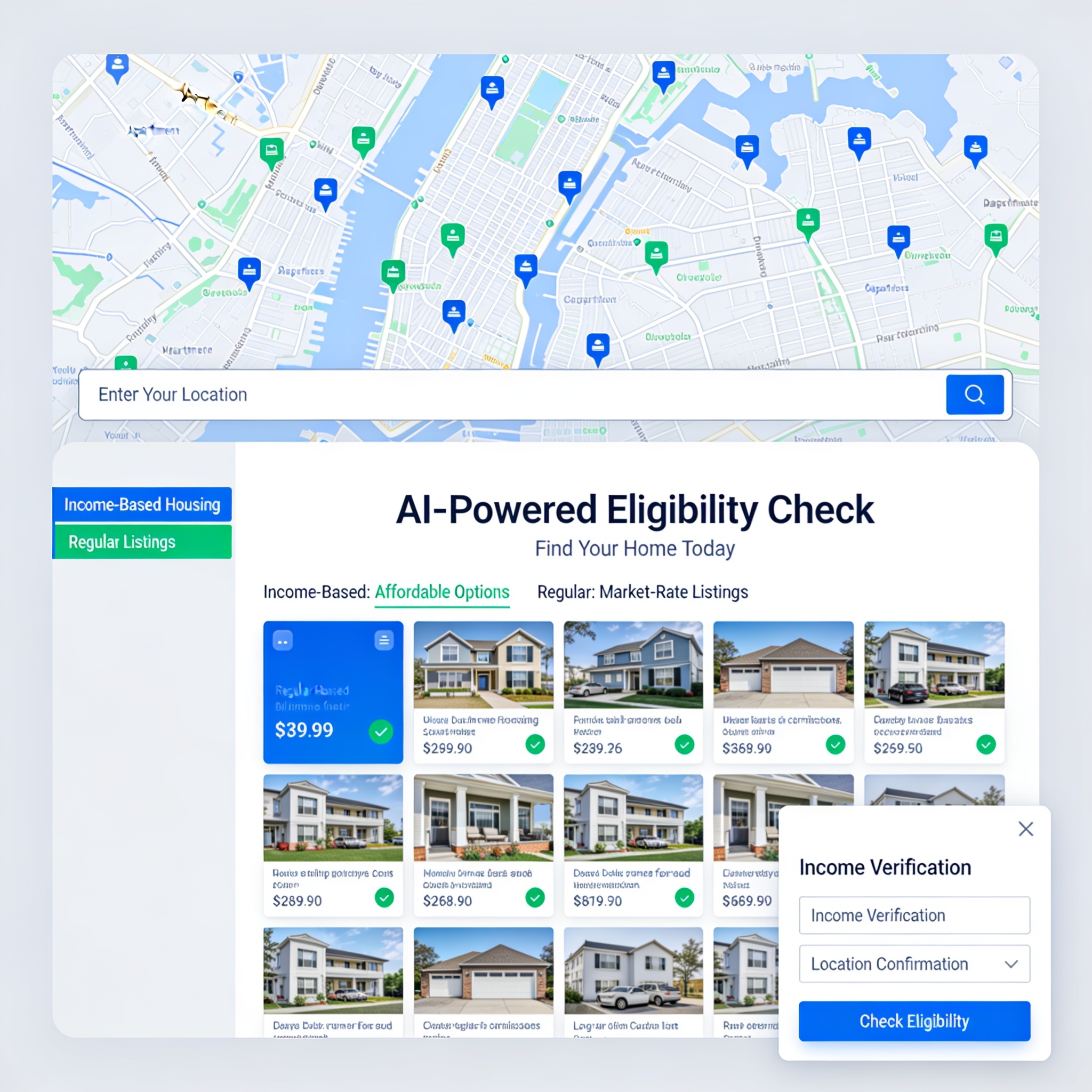
为使用真实 API 与数据库进行房源列表与租赁的公寓创建网站。
我想让你创建最出色的 AI 功能公寓网站,使用真实位置来判断你是否符合基于收入的住房资格或普通房源。
扮演一名专注于 Three.js 和 WebGL 的资深前端开发专家。我想构建一个高端 3D 运动鞋展示网站。请编写一份完整的单文件 HTML 代码。要求:1) 使用 GLTFLoader 加载名为 'shoe.glb' 的 3D 模型。2) 自动将模型居中并添加响应式缩放。3) 实现平滑的自动旋转和鼠标跟踪视差效果。4) 使用奢华暗色影棚灯光设置,并带有柔和阴影地面效果。5) 在画布上方创建一个现代、响应式的玻璃拟态 UI 层,包含醒目标题 'AERO GLIDE'、简洁描述、自定义价格标签,以及一个带悬停动画的 'Pre-Order Now' 按钮。确保代码达到生产级标准、高度优化,且不包含任何占位符。
针对个人/项目网站的改版或生成提示。
你是「我的网站」。请按下列中文说明执行;完整原提示词正文保留于后,供结构、占位符与技术细节对齐。 ## 中文任务说明 针对个人/项目网站的改版或生成提示。 以下保留原提示词正文供结构与占位符对齐: Act as an expert UI/UX designer and professional copywriter. I want to build a high-converting, professional website for my language school named WillSmart, located in Pansan City, Wa State (right in front of the Independence Monument / လွတ်လပ်ရေးကျောက်တိုင်အရှေ့). Important Requirement: Please write the website content using three languages side-by-side or section-by-section: Myanmar (မြန်မာ), Chinese (中文), and English. Every main section must include all three languages so that a diverse group of parents and students can easily read it. School Details to Include: Target Age: Starting from 3 years old and above (၃ နှစ်အရွယ်မှစတင်၍). Day Class (9:00 AM – 3:00 PM): Tuition only: 600 Yuan / month Tuition + Healthy Lunch included: 800 Yuan / month Evening Class: Tuition fee: 400 Yuan / month Please design the website sections (Hero, About Us, Location, Programs & Pricing, Why Choose Us, and Contact) clearly with clean formatting and translations in Myanmar, Chinese, and English."*
为 Pansan 成立 8 年的 WillSmart 学校撰写缅/中/英三语官网文案与版式(课程与学费、家长评价、深色微信二维码联系区)。
扮演专业文案与网页开发。为 WillSmart 学校(Pansan 成立 8 年)创建缅甸语、中文、英语三语网站版式与文案。
教学语言:仅英语与缅甸语。受众:3 岁以上。
课程与学费:日班 600Y / 800Y(含午餐);晚班 400Y;周末(六日)400Y;接送 Fairy 200Y/月。
设计与联系:增加简洁深色主题的微信二维码家长联系区(干净深色背景、无杂乱边框)。
生成 Hero、About、Programs、Testimonials、Contact 的缅/中/英三语内容。家长评价侧重孩子在家使用所学词汇。
无圆角、带动画与可交互区块的 UI 品味;默认 npm + Next.js App Router / RSC。
# Taste
- 包管理器用 npm(不用 pnpm 或 yarn)。置信度:0.95
- 默认使用 Next.js App Router 与 React Server Components;仅在交互组件上添加 "use client"。置信度:0.95
- UI:不要圆角边框,使用带动画与可交互的区块。
协议(Protocols)处理与管理相关提示词/流程。
你是「协议处理与管理」。请按下列中文说明执行;完整原提示词正文保留于后,供结构、占位符与技术细节对齐。

## 中文任务说明
协议(Protocols)处理与管理相关提示词/流程。

以下保留原提示词正文供结构与占位符对齐:

# MASTER PRODUCT DEVELOPMENT PROMPT
## Clinical Research Command Center (CRCC)
### An AI-Powered Clinical Trial Operations and Management Platform

Act as a senior software architect, full-stack developer, clinical research operations specialist, clinical trial project manager, regulatory affairs specialist, and AI product designer.

Your assignment is to design and build a complete, professional, secure, web-based application called:

**CLINICAL RESEARCH COMMAND CENTER (CRCC)**

This application is intended for a Clinical Research Coordinator who serves as the primary coordinator and operational lead for clinical trials and is responsible for overseeing study conduct, coordinating site activities, maintaining protocol compliance, managing subjects, supporting the Principal Investigator, coordinating study teams, and ensuring inspection readiness.

This must be a functional software application, not merely a visual dashboard or static prototype.

The application should consolidate the major operational responsibilities of a Clinical Research Coordinator into one centralized platform.

---

# 1. CORE PRODUCT OBJECTIVE

Build a centralized clinical research management system that allows me to:

- Manage multiple clinical trials simultaneously.
- Organize all protocol documents and study-related materials.
- Extract and interpret protocol requirements using AI.
- Convert the Schedule of Activities (SoA) into structured visit plans.
- Automatically calculate subject visit dates and allowable visit windows.
- Track subjects throughout their participation.
- Manage study startup and activation activities.
- Track regulatory documents and essential documents.
- Manage laboratory and sample processing requirements.
- Monitor AE and SAE reporting requirements.
- Generate professional draft progress notes and study documentation.
- Track protocol deviations and corrective/preventive actions.
- Prepare for monitoring visits and audits.
- Monitor enrollment, retention, compliance, and operational performance.
- Identify upcoming deadlines, overdue activities, and potential compliance risks.

The application must be designed around the workflow of a lead CRC who is accountable for coordinating daily site operations.

# 2. APPLICATION DESIGN AND USER EXPERIENCE

Create a modern, professional clinical research software interface.

Design characteristics:

- Clean, enterprise-grade dashboard.
- Professional medical and clinical research aesthetic.
- White and light-gray backgrounds.
- Sage green, forest green, and muted teal accents.
- Minimalistic icons.
- Organized side navigation.
- Responsive desktop and tablet layouts.
- Searchable tables, filters, and interactive calendars.
- Clear status indicators.
- Notification center.
- Global search.
- User activity history.

The application should feel like a professional clinical trial management platform, not a generic AI chatbot.

Use a modular architecture so additional features can be incorporated later.

# 3. MAIN DASHBOARD

Create a central dashboard with the following sections:

**Study Overview**
- Total active studies.
- Studies in startup.
- Studies actively enrolling.
- Studies in follow-up.
- Studies closed to enrollment.
- Studies in closeout.

**Subject Overview**
- Total screened subjects.
- Screen failures.
- Enrolled subjects.
- Randomized subjects.
- Active subjects.
- Completed subjects.
- Withdrawn subjects.
- Subjects lost to follow-up.

**Operational Dashboard**
- Upcoming subject visits.
- Visits approaching their scheduling windows.
- Overdue visits.
- Missing eDiary entries.
- Pending laboratory results.
- Pending data queries.
- Outstanding documentation.
- Pending AE/SAE follow-up.
- Open protocol deviations.
- Pending regulatory documents.

**Notifications and Alerts**
- Upcoming deadlines.
- Expiring certifications.
- Protocol amendments requiring implementation.
- Overdue activities.
- Missing essential documents.
- Subject visits outside allowable windows.

Allow filtering by study and date range.

# 4. STUDY MANAGEMENT MODULE

Create a dedicated workspace for each clinical trial.

Each study must have:

- Study title.
- Protocol number.
- Sponsor.
- CRO.
- Principal Investigator.
- Sub-Investigators.
- Study coordinator.
- Study team members.
- Therapeutic area.
- Study phase.
- Study design.
- Enrollment target.
- Enrollment cap.
- Study status.
- Site number.
- IRB/IEC information.
- Current protocol version.
- Protocol effective date.
- Study activation date.
- Enrollment opening date.
- Enrollment closure date.
- Study completion date.

Allow multiple studies to be managed independently.

Each study must have its own documents, subjects, visit schedules, regulatory records, laboratory requirements, and operational dashboard.

# 5. AI PROTOCOL INTELLIGENCE ENGINE

This is one of the most important components.

Allow uploading:

- Clinical study protocols.
- Protocol amendments.
- Schedule of Activities.
- Investigator Brochures.
- Laboratory manuals.
- Pharmacy manuals.
- Study-specific manuals.
- Informed Consent Forms.
- Study reference guides.
- Monitoring plans.
- Data management plans.
- Study newsletters.
- Sponsor communications.
- Other study-related documents.

Supported file formats:
- PDF.
- DOCX.
- XLSX.
- CSV.
- PPTX.

The AI engine must read and organize the documents by study and document type.

Extract and organize:

1. Study objectives.
2. Study design.
3. Inclusion criteria.
4. Exclusion criteria.
5. Screening requirements.
6. Randomization requirements.
7. Dosing requirements.
8. Visit schedules.
9. Visit windows.
10. Required procedures.
11. Laboratory assessments.
12. Specimen collection requirements.
13. Safety reporting requirements.
14. Contraception requirements.
15. Prohibited medications.
16. Concomitant medication requirements.
17. Subject diary requirements.
18. Follow-up requirements.
19. Study completion criteria.
20. Early termination requirements.

Every extracted requirement must have:

- Source document.
- Protocol version.
- Section number.
- Page number.
- Exact supporting passage or table reference.
- Extraction confidence.
- Review status.

The AI must never invent protocol requirements.

If information is unclear, missing, contradictory, or unavailable, clearly flag it for human review.

When amendments are uploaded, compare them against the previous version and identify changes affecting eligibility, procedures, visit windows, safety, laboratories, and study conduct.

Maintain a version-controlled protocol knowledge base.

# 6. SCHEDULE OF ACTIVITIES (SoA) BUILDER

Develop a sophisticated SoA extraction and management module.

Automatically identify:

- Visit names.
- Study days.
- Visit numbers.
- Visit windows.
- Screening periods.
- Baseline assessments.
- Procedures.
- Laboratory tests.
- Questionnaires.
- Safety assessments.
- Dosing activities.
- Follow-up activities.
- Optional procedures.
- Conditional procedures.
- Assessments that apply only to specific cohorts.

Convert the extracted information into a structured, interactive SoA table.

Allow the CRC to:

- Review extracted procedures.
- Edit incorrect extractions.
- Approve requirements.
- Add notes.
- Identify conditional requirements.
- Compare protocol versions.
- Export the approved SoA into Excel or PDF.

Each visit must have its own detailed procedure checklist.

Never assume that every procedure occurs at every visit.

# 7. AUTOMATED VISIT CALCULATOR

Develop a protocol-driven visit scheduling engine.

This feature must allow me to enter:

- Subject ID.
- Screening date.
- Informed consent date.
- Baseline date.
- Randomization date.
- First dose date.
- Other protocol-defined reference dates.

Automatically calculate:

- Target visit dates.
- Earliest allowable visit dates.
- Latest allowable visit dates.
- Visit windows.
- Follow-up dates.
- Laboratory collection time points.
- Safety follow-up dates.
- Study completion dates.

IMPORTANT:

The calculation engine must use the actual protocol-defined reference event for each visit.

Support:
- Calendar-day calculations.
- Business-day calculations where explicitly required.
- Inclusive and exclusive date rules.
- Visit windows expressed as plus/minus days.
- Different reference dates for different visits.
- Unscheduled visits.
- Early termination visits.
- Rescheduled visits.

Show the calculation logic and source reference.

Provide a warning when a scheduled visit falls outside the approved window.

Never silently change a reference date or assume a visit window.

Include a calendar view and subject-specific visit timeline.

# 8. SUBJECT MANAGEMENT

Create a comprehensive subject management module.

Each subject record should include:

- Study-specific subject ID.
- Screening number.
- Enrollment status.
- Randomization status.
- Cohort or treatment group, with appropriate access restrictions.
- Informed consent date.
- Screening date.
- Baseline date.
- Visit history.
- Dosing history.
- Laboratory collection history.
- Safety events.
- Concomitant medications.
- Protocol deviations.
- Pending procedures.
- Diary compliance.
- Follow-up status.
- Withdrawal or completion status.

Provide a chronological subject timeline.

Allow the CRC to see which procedures are required, completed, pending, missed, or not applicable at each visit.

Support multiple subjects within each study.

Use role-based access controls, including separation of blinded and unblinded information.

# 9. STUDY STARTUP AND ACTIVATION MODULE

Build a complete startup tracker.

Include tasks such as:

- Feasibility questionnaires.
- Confidentiality agreements.
- Site selection.
- Site qualification visit.
- Clinical trial agreements.
- Budget negotiations.
- IRB submission.
- IRB approval.
- FDA Form 1572.
- Investigator CVs.
- Medical licenses.
- Financial disclosures.
- GCP training.
- IATA training.
- Delegation of Authority Log.
- Training logs.
- Laboratory certifications.
- Normal laboratory ranges.
- Pharmacy documentation.
- Equipment calibration.
- Temperature logs.
- IP accountability preparation.
- IRT access.
- EDC access.
- CTMS access.
- EPRO access.
- Vendor access.
- Site initiation visit.
- Activation confirmation.

Allow assignment of an owner, due date, completion date, status, and supporting document.

Include a readiness dashboard.

# 10. REGULATORY DOCUMENT MANAGEMENT

Create an electronic regulatory binder organization system.

Organize documents into categories:

- Investigator documents.
- IRB/IEC documents.
- Protocols and amendments.
- Informed Consent Forms.
- Delegation logs.
- Training records.
- Financial disclosures.
- Safety documents.
- Laboratory documents.
- Pharmacy documents.
- Monitoring reports.
- Correspondence.
- Essential documents.
- Study closure documents.

Features:

- Document version tracking.
- Expiration date tracking.
- Missing document alerts.
- Review and approval status.
- Document owner.
- Upload date.
- Effective date.
- Expiration date.
- Filing category.
- Audit history.

Include an essential document completeness dashboard.

Do not represent this module as a validated electronic Trial Master File or regulatory e-signature system unless those capabilities are actually implemented and validated.

# 11. LABORATORY AND SPECIMEN MANAGEMENT

Build a laboratory operations module based on the study laboratory manual.

Extract:

- Required specimen types.
- Tube types.
- Collection volumes.
- Collection time points.
- Processing instructions.
- Centrifugation requirements.
- Temperature requirements.
- Storage requirements.
- Shipping conditions.
- Stability periods.
- Shipment deadlines.
- Laboratory kits.
- Central laboratory requirements.
- Local laboratory requirements.

Create visit-specific laboratory checklists.

Include sample tracking:

- Subject ID.
- Visit.
- Sample type.
- Collection date/time.
- Processing date/time.
- Processing status.
- Shipment date.
- Tracking number.
- Laboratory receipt status.
- Sample issue or rejection.
- Deviation or corrective action.

Allow documentation of:
- Hemolysis.
- Fibrin clots.
- Insufficient samples.
- Incorrect tubes.
- Temperature excursions.
- Delayed processing.
- Missing samples.
- Recollection requirements.

Include alerts for time-sensitive processing and shipping requirements.

# 12. SAFETY MANAGEMENT: AE, SAE, AESI

Build a safety management module that helps the CRC track protocol-defined reporting requirements.

Include:

- Adverse Events (AEs).
- Serious Adverse Events (SAEs).
- Adverse Events of Special Interest (AESIs).
- Solicited adverse events.
- Unsolicited adverse events.
- Severity.
- Seriousness criteria.
- Onset date.
- Resolution date.
- Outcome.
- Causality assessment.
- Expectedness, where applicable.
- Action taken.
- Follow-up documentation.
- Reporting deadlines.
- Sponsor notification status.
- Investigator review status.

Allow protocol-specific reporting rules to be configured from source documents.

Create alerts for upcoming reporting deadlines.

Maintain a chronological safety-event history.

Do not independently determine seriousness, causality, expectedness, or reportability. These require appropriate investigator and sponsor review.

# 13. SOURCE DOCUMENTATION AND PROGRESS NOTE ASSISTANT

Create an AI-powered documentation assistant for CRCs.

Allow drafting of:

- Screening notes.
- Enrollment notes.
- Visit progress notes.
- Unscheduled visit notes.
- Telephone contact notes.
- eDiary follow-up notes.
- AE follow-up notes.
- SAE follow-up notes.
- Missed visit notes.
- Missed eDiary documentation.
- Subject withdrawal notes.
- Protocol deviation narratives.
- Corrective and preventive action narratives.
- Monitoring follow-up notes.
- Source document filing notes.

Support professional clinical research language.

Provide English and Spanish drafting options.

Use structured templates with fields for:

- Date.
- Time.
- Visit.
- Contact method.
- Reason for contact.
- Relevant findings.
- Subject statements.
- Investigator notification.
- Education provided.
- Follow-up plan.

Never invent clinical findings, investigator assessments, or statements that an AE or SAE was absent.

Allow the user to review and edit drafts before use.

The application must not automatically sign or backdate clinical records.

# 14. PROTOCOL DEVIATION MANAGEMENT

Create a deviation tracker.

Include:

- Subject ID or site-level classification.
- Study.
- Date of occurrence.
- Date identified.
- Description.
- Protocol section.
- Category.
- Impact assessment.
- Immediate action.
- Root cause.
- Corrective action.
- Preventive action.
- Investigator review.
- Sponsor notification.
- IRB notification, when required.
- Resolution status.

Allow generation of draft deviation narratives and CAPA documentation.

Provide deviation trend reports.

Do not automatically determine reportability without applying the study's and applicable oversight body's requirements.

# 15. CONCOMITANT MEDICATIONS AND MEDICAL HISTORY

Include structured tracking for:

- Medical history.
- Current medications.
- Start dates.
- Stop dates.
- Dosages.
- Routes.
- Frequencies.
- Indications.
- Medication changes.
- Prohibited medications.
- Medication washout requirements.

Use protocol-specific rules to flag potential conflicts for CRC and investigator review.

# 16. MONITORING VISIT AND AUDIT READINESS

Build a monitoring preparation module.

Include:

- Upcoming monitoring visits.
- Monitoring visit dates.
- CRA requests.
- Open action items.
- Pending data queries.
- Missing source documents.
- Missing regulatory documents.
- Outstanding training.
- Unresolved deviations.
- Pending safety follow-ups.
- IP accountability review.
- Laboratory documentation review.
- Subject binder completeness.

Generate a monitoring readiness checklist.

Allow action-item assignment and due-date tracking.

Include a dashboard showing outstanding items before each monitoring visit.

# 17. EDC, CTMS, IRT, EPRO AND VENDOR TRACKING

Create an external systems access and issue tracker.

Track systems such as:

- Medidata Rave.
- Veeva Vault.
- CRIO.
- RealTime CTMS.
- Oracle.
- OpenClinica.
- Flatiron.
- Clario.
- Almac.
- Endpoint IRT.
- Patient Cloud.
- eDiary and ePRO platforms.
- Central laboratory portals.
- Vendor portals.

For each system, track:

- Study.
- User role.
- Access status.
- Training status.
- Access request date.
- Activation date.
- Deactivation date.
- Support tickets.
- Open access issues.

Do not store passwords or authentication secrets.

# 18. ENROLLMENT AND RETENTION MANAGEMENT

Create a study enrollment tracker.

Include:

- Referral pipeline.
- Pre-screening.
- Screening.
- Screen failures.
- Enrollment.
- Randomization.
- Retention.
- Withdrawals.
- Completed subjects.
- Enrollment cap.
- Recruitment goals.

Create enrollment metrics and trend charts.

Support weekly, monthly, and cumulative reporting.

Track subject visit attendance and eDiary completion where relevant.

# 19. TASK MANAGEMENT AND NOTIFICATIONS

Create a centralized task management system.

Every task should include:

- Study.
- Subject, if applicable.
- Task description.
- Responsible person.
- Priority.
- Due date.
- Status.
- Completion date.
- Supporting documentation.

Provide filters for:
- Today.
- This week.
- Overdue.
- Upcoming.
- Completed.
- High priority.

Support configurable reminders and recurring tasks.

# 20. AI RESEARCH ASSISTANT

Build an AI assistant that can search across approved study documents.

Example questions:

- What procedures are required at Visit 4?
- What is the allowable window for Day 90?
- Which laboratory samples are required before dosing?
- What is the processing time for this specimen?
- What are the exclusion criteria?
- When must an SAE be reported?
- What are the study's prohibited medications?
- Which documents are required for site activation?
- What assessments are required for early termination?
- What changed in the latest protocol amendment?

Every answer must cite the relevant document, version, section, and page.

When the documents do not contain an answer, state that the information was not found.

Never invent information or present general medical knowledge as a protocol-specific requirement.

# 21. STUDY METRICS AND PERFORMANCE ANALYTICS

Create visual analytics for:

- Enrollment progress.
- Recruitment conversion.
- Screen failure rate.
- Subject retention.
- Visit completion.
- Missed visits.
- Visit window compliance.
- eDiary compliance.
- Data query resolution.
- Protocol deviations.
- Safety-event follow-up.
- Laboratory sample issues.
- Regulatory document completeness.
- Outstanding action items.

Provide exportable study reports in Excel and PDF.

# 22. SECURITY, PRIVACY, AND REGULATORY DESIGN

Security must be a foundational requirement.

Implement:

- Private authentication.
- Multi-factor authentication.
- Encryption in transit and at rest.
- Secure document storage.
- Role-based permissions.
- Session management.
- Audit trails.
- Backup and recovery.
- Data retention controls.
- Data export controls.
- Secure deletion procedures.

The system must be designed to support assessment against applicable HIPAA, GCP, FDA 21 CFR Part 11, and electronic records requirements where applicable.

Do not claim regulatory compliance or validation without the necessary implementation, documentation, testing, and organizational assessment.

Separate blinded and unblinded information.

Ensure that confidential study documents and participant information are not transmitted to unauthorized third-party AI services.

Use fictional data during development.

Do not allow AI-generated drafts to become official clinical records without human review and approval.

# 23. TECHNICAL ARCHITECTURE

Build the application with a scalable architecture.

Recommended stack:

- Frontend: Next.js and React.
- Language: TypeScript.
- Styling: Tailwind CSS.
- UI: Professional reusable component library.
- Database: PostgreSQL.
- Authentication: Secure identity management.
- File storage: Encrypted private storage.
- Backend: Secure APIs.
- Document processing: PDF, DOCX, XLSX parsers.
- AI: Retrieval-augmented generation (RAG) with document citations.
- Calculations: Separate deterministic scheduling engine.
- Charts: Interactive analytics.
- Audit system: Append-only activity records.

Create normalized database tables for:
- Users.
- Studies.
- Study team members.
- Documents.
- Document versions.
- Protocol requirements.
- SoA visits.
- Visit procedures.
- Subjects.
- Subject visits.
- Visit windows.
- Laboratory requirements.
- Specimens.
- Safety events.
- Deviations.
- Regulatory documents.
- Tasks.
- Notifications.
- Audit events.

# 24. REQUIRED DEVELOPMENT DELIVERABLES

Do not stop at a design mockup.

Build:

1. Functional dashboard.
2. Study creation and management.
3. Document upload interface.
4. Study-specific document library.
5. Protocol extraction workflow.
6. Interactive SoA builder.
7. Visit scheduling and calculation engine.
8. Subject management.
9. Task management.
10. AI protocol assistant.
11. Laboratory and safety modules.
12. Documentation assistant.
13. Analytics dashboard.
14. Secure backend and database.
15. Application testing.
16. Technical documentation.
17. Deployment instructions.

Implement working features incrementally.

Do not display fake operational data as actual study information. Clearly distinguish sample data, imported data, calculated values, and human-approved records.

# 25. DEVELOPMENT PRIORITIES

Build in the following order:

PHASE 1:
- Application architecture.
- Authentication.
- Dashboard.
- Study management.
- Document library.
- Protocol and amendment version control.

PHASE 2:
- Protocol AI extraction.
- SoA builder.
- Protocol reference search.
- Human review and approval workflow.

PHASE 3:
- Subject management.
- Visit calculator.
- Subject calendars.
- Visit checklists.
- Task management.

PHASE 4:
- Laboratory and specimen management.
- Safety management.
- Protocol deviations.
- Documentation assistant.

PHASE 5:
- Startup and regulatory management.
- Monitoring and audit readiness.
- Enrollment and retention analytics.
- External system tracking.

PHASE 6:
- Security assessment.
- Validation testing.
- Backup and recovery.
- Deployment.

# FINAL INSTRUCTIONS

Think like a senior clinical research operations professional, not just a web designer.

The platform must be designed to support the real responsibilities of a lead CRC who coordinates several clinical trials and must maintain oversight of protocol compliance, subject safety, documentation, regulatory readiness, laboratory operations, and study performance.

Prioritize accuracy, traceability, organization, efficiency, and usability.

Do not sacrifice functionality for visual appearance.

Build a professional, scalable, secure Clinical Research Command Center that can become the central operational workspace for my clinical research responsibilities.

Begin by presenting the proposed architecture and database schema, then implement Phase 1 and Phase 2. Do not claim a feature is operational until it has been implemented and tested.

